



Quick answer
LED lights usually flicker on a dimmer because the dimmer was designed for high-wattage incandescent bulbs and cannot regulate the tiny load of LEDs smoothly. Replacing an old dimmer with an LED-compatible trailing-edge (ELV) dimmer and using bulbs marked dimmable fixes most flicker.Why LEDs and old dimmers clash
Old dimmers were built for incandescent bulbs that draw 40 to 100 watts each. They chop the AC waveform to reduce power, and a hot filament smooths out the result into steady light. An LED bulb draws only a few watts and switches almost instantly, so the same chopped waveform shows up as visible flicker, shimmer, or strobing, and sometimes as a faint buzz.The most common causes
An incompatible dimmer
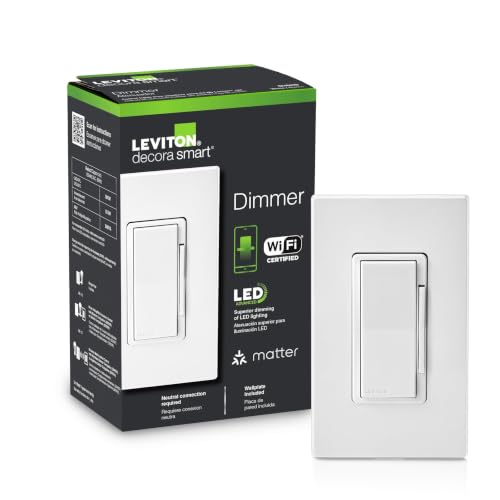
This is the number one cause. Older leading-edge (TRIAC) dimmers were designed for resistive incandescent loads. Many LEDs behave as a small, non-linear load that leading-edge dimmers struggle to control, especially at the low end of the dial. Trailing-edge (ELV) dimmers were designed with LEDs in mind and produce far smoother dimming.Non-dimmable bulbs
Not every LED bulb is dimmable. A non-dimmable bulb on any dimmer will often flicker, flash, or refuse to dim. Check the package or the bulb itself for the word dimmable before assuming the dimmer is at fault.The minimum load is not met
Dimmers have a minimum load, historically tens of watts. If you replace five 60-watt incandescents (300 watts) with five 9-watt LEDs (45 watts), the load may fall below what the dimmer needs to operate steadily, causing flicker or dropout at low settings.Mixed or mismatched bulbs
Combining different brands, models, or a mix of dimmable and non-dimmable bulbs on one circuit can cause inconsistent behavior. Bulbs with different driver designs respond to the same dimmer differently, so one may flicker while another looks fine.Loose wiring, overload, or shared circuits
A loose connection, an overloaded circuit, or large appliances cycling on the same circuit can cause flicker that looks like a dimmer problem but is not. This type of flicker often affects more than just the dimmed lights.How to stop the flicker
Work through these in order:When there is buzzing as well as flicker
A hum or buzz usually points to a leading-edge dimmer straining an LED load or to a cheap bulb driver. The same fix, a compatible trailing-edge dimmer plus quality dimmable bulbs, typically quiets it.Safety and when to call a professional
Swapping a dimmer means working inside a switch box on 120V wiring. Turn off the circuit at the breaker and verify the wires are dead with a voltage tester before touching anything. Note that some dimmers are single-pole and some are 3-way, and a 3-way circuit has extra traveler wires that must be connected correctly. If you are unsure which wire is which, if the box has no neutral (many smart dimmers require one), or if flicker continues after you have matched bulbs and dimmer, contact a licensed electrician. Persistent flicker across multiple circuits can occasionally signal a panel or utility issue that needs professional diagnosis. This article is general information and not a substitute for a licensed electrician.In most homes the cure is simple: dimmable LED bulbs plus a dimmer actually designed for LEDs, set with a little low-end trim. That combination removes the flicker that old incandescent dimmers create.