

Pedestal Fans: How to Choose One That Actually Cools the Room
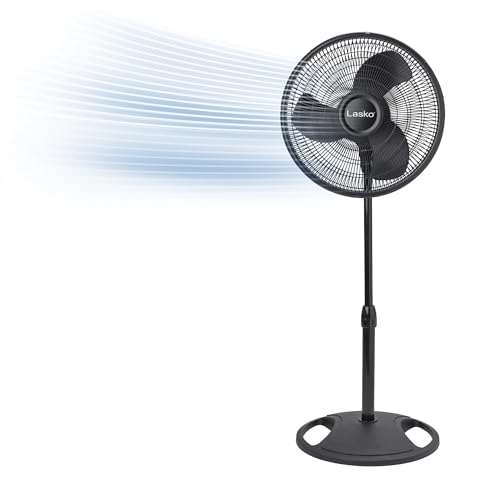
A pedestal fan is the workhorse of whole-room air movement: it stands on a weighted base, raises the fan head above furniture and people, and (on most models) oscillates to sweep air across a wide arc. Compared with a desk fan it moves far more air; compared with a tower fan it usually moves air more directly and at lower cost. Choosing well comes down to five things: airflow (CFM), height adjustment, oscillation range, noise, and motor type.
CFM and reach: what actually cools a room
Fans don't lower the temperature of a room the way an air conditioner does. They move air, and moving air pulls heat away from skin through evaporative cooling, which is why a fan blowing on you feels cooler even though the thermostat hasn't moved. The metric that matters here is CFM (cubic feet per minute) — the volume of air the fan pushes at its highest speed.
Most household pedestal fans fall somewhere between 1,000 and 4,000+ CFM depending on blade diameter and motor power. As a rough guide:
- Under 1,500 CFM — fine for a bedroom or home office, close range
- 1,500–2,500 CFM — good for a living room or open-plan area
- 2,500 CFM and up — garages, sunrooms, larger open spaces, or anywhere you want strong "reach" across 15+ feet
Manufacturers don't always publish CFM prominently, so blade diameter is a useful proxy: 16-inch blades are the common household size, while 18–20-inch blades push meaningfully more air and throw it farther. If a room feels stuffy rather than just warm, a higher-CFM pedestal fan paired with cross-ventilation (an open window on the opposite side of the room) does more good than a stronger fan alone.
Height adjustment
Nearly every pedestal fan has a telescoping pole that adjusts the head height, typically somewhere in the 40 to 55-inch range. This matters more than it sounds: a fan head positioned at seated head-and-torso height circulates air far more effectively than one aimed at your ankles or the ceiling. For a room where people are mostly seated (living room, home office), aim for head height around 42–48 inches. For a bedroom, many people prefer the fan a little lower and angled, since tilt-adjustable heads let you point airflow across the bed rather than straight down a wall. Look for a pole that locks securely at your chosen height — cheaper fans can drift downward under the fan head's weight over time.
Oscillation
Oscillation is the side-to-side sweep that spreads airflow across a room instead of a single narrow column. Standard oscillation angles run 70–90 degrees; wider designs on some Dreo and Honeywell models reach 120 degrees or more, plus a few models add vertical oscillation for a genuine "widescreen" spread. If you want the fan to cool a specific spot (a desk, a reading chair), you'll want the option to lock oscillation off and aim the head directly. If you want even whole-room coverage, a wider oscillation angle and a remote control (so you're not walking over to adjust it) both add real convenience.
Noise
Pedestal fans are rarely silent at top speed, and manufacturers rarely publish decibel ratings consistently, so noise is best judged from aggregated owner reviews rather than a spec sheet number. In general: more blades (5–9 versus the traditional 3) and a DC motor (see below) tend to run quieter, especially at low-to-medium speeds, because the motor and blade design generate less mechanical vibration and turbulence. If the fan will run overnight in a bedroom, prioritize models specifically marketed around low-noise operation at low/medium speeds — top-speed noise matters less if you rarely use top speed after dark.
DC vs AC motor
This is the biggest real difference between budget and premium pedestal fans:
- AC motors are the traditional, less expensive option. They're simple, durable, and typically offer 3 fixed speeds. They draw more power and tend to be a bit louder, especially on high.
- DC motors use a brushless design that's more energy-efficient (often using a fraction of the electricity of an equivalent AC motor at low speeds), runs quieter, and typically offers many more speed steps — sometimes 12 or more — for finer control. DC motors also make sense for models with remote controls, timers, and app or smart-home connectivity, since the electronics integrate more naturally. The trade-off is upfront cost: DC-motor pedestal fans generally cost noticeably more than comparable AC models.
A quick buying checklist
- Match CFM/blade size to room size, not just budget
- Confirm the height range suits how you'll actually sit or stand near it
- Check oscillation angle and whether it can be locked for direct airflow
- Read owner reviews specifically for noise at the speed you'll actually use
- Decide if a DC motor's quieter, more efficient operation is worth the premium