Smart Lighting: Complete Guide
Comprehensive technical analysis of sizing, materials, installation requirements, and manufacturer standards for smart lighting.

Recommended Products
See the full ranking →


Smart lighting is any light source or control point you can operate remotely, schedule, or group into scenes instead of relying on a wall switch alone. That includes Wi-Fi and Zigbee smart bulbs, smart switches and dimmers that replace your existing wall plate, smart plugs that add remote control to a lamp, and standalone fixtures with lighting built in. The category spans a $10 single bulb to a whole-house Lutron or Control4 install, so the right entry point depends on how many rooms you want to control and whether you're renting or own.
These three solve different problems, and most homes end up using a mix.
- Smart bulbs screw into an existing fixture and need no wiring changes, which makes them the easiest starting point and the best fit for renters. The tradeoff: if a bulb is controlled by a physical wall switch that gets flipped off, it loses power and can't respond to the app or voice commands until the switch is turned back on.
- Smart switches replace the wall switch itself, so any bulb in that fixture — including cheap non-smart bulbs — gets remote control, scheduling, and dimming. Most smart dimmers require a neutral wire in the switch box, which is common in homes built after the early 1990s but not guaranteed in older housing stock.
- Smart plugs sit between a lamp and the outlet, giving you remote and scheduled control over any plug-in light without touching a bulb or a switch. They're the cheapest and least invasive option for lamps and accent lighting.
Some smart bulbs and switches connect straight to your Wi-Fi router — no extra hardware required. Others use a low-power mesh protocol like Zigbee or Z-Wave and need a bridge or hub (Philips Hue Bridge, SmartThings, Lutron Smart Bridge) to talk to your phone and voice assistant. Hub-based systems tend to be more reliable at scale — a Zigbee mesh doesn't compete with your other Wi-Fi devices for bandwidth, and it stays responsive even if your internet goes down, since the hub can often run scenes locally. Wi-Fi-only bulbs are simpler to set up and cost less up front, but a router restart or a crowded 2.4GHz band can cause lag or dropped connections once you have a dozen or more devices.
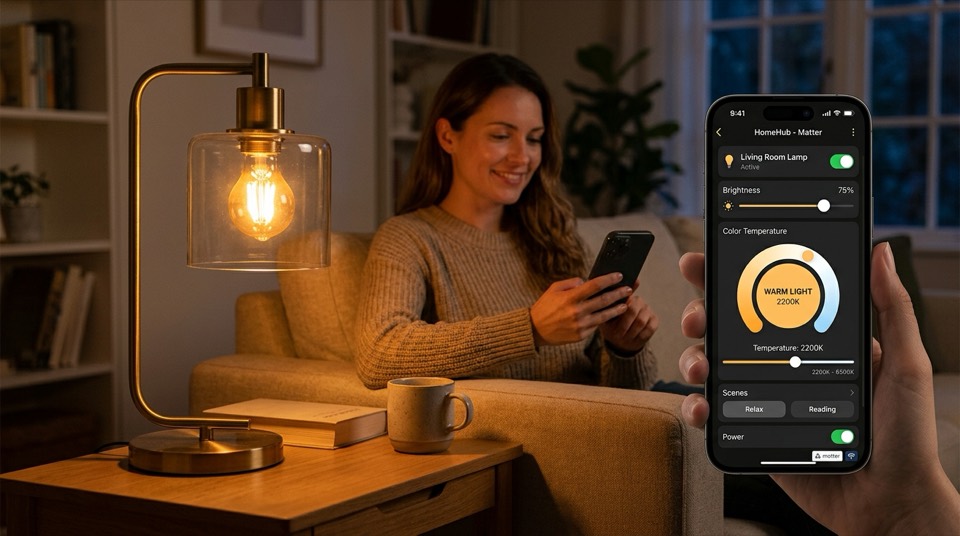
The newer Matter standard is designed to close this gap, letting compatible bulbs, switches, and hubs from different brands work together and respond to Amazon Alexa, Google Home, Apple Home, and Samsung SmartThings without separate integrations for each. Adoption is still uneven across older product lines, so check for a Matter or Thread logo on the box if cross-platform compatibility matters to you.
Watts measure power draw, not light output, so compare bulbs by lumens instead. As a rough swap guide: a 60-watt incandescent puts out about 800 lumens, and a 100-watt incandescent is around 1,600 lumens — most LED and smart bulbs list an "equivalent" wattage on the package to make this comparison easier.
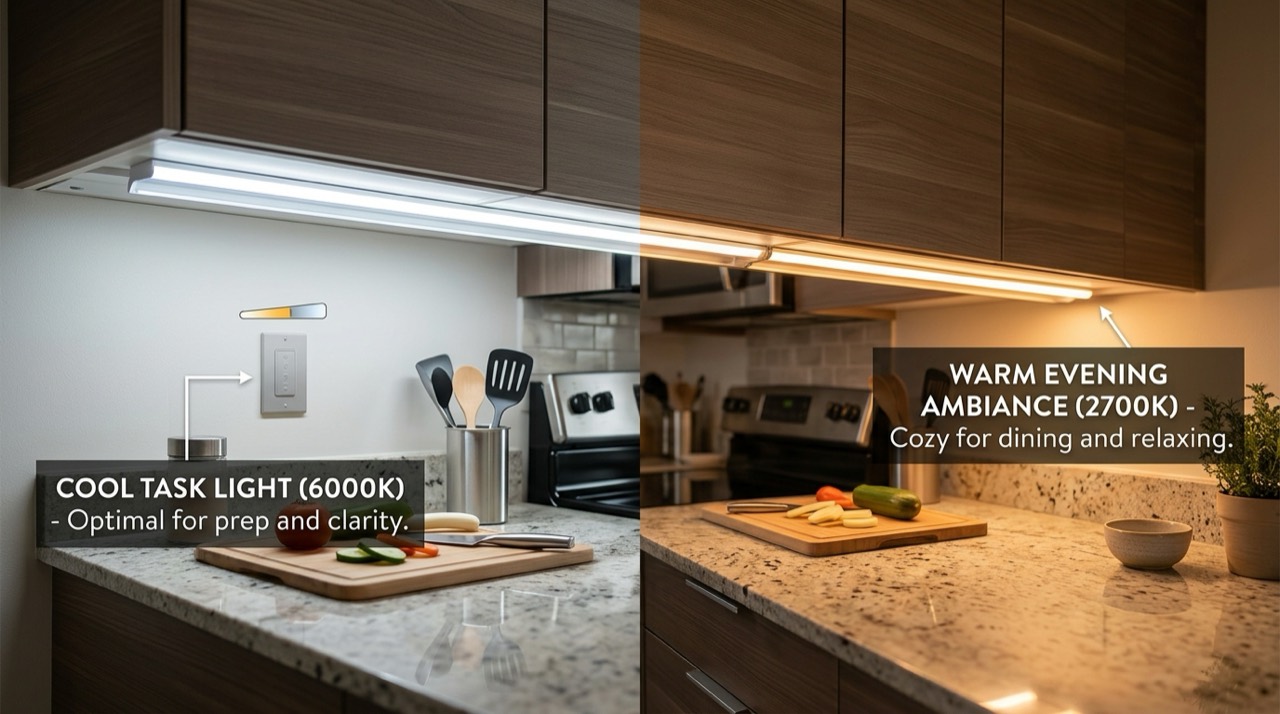
Color temperature, measured in Kelvin, changes how the light feels:
- 2700K–3000K — warm white, close to a traditional incandescent bulb, good for living rooms and bedrooms.
- 3500K–4100K — neutral white, common in kitchens and bathrooms.
- 5000K–6500K — daylight/cool white, best for task lighting, garages, and workspaces.
Before buying, check which voice assistant and app ecosystem a product actually supports — Amazon Alexa, Google Home, Apple Home, and Samsung SmartThings each have their own compatibility lists, and a bulb that's "smart" isn't automatically compatible with all four. If you already have an Echo or Google Nest speaker in most rooms, buying within that ecosystem avoids app-switching headaches later.
Smart plugs and screw-in smart bulbs involve no house wiring and are safe for anyone to install. Smart switches and dimmers are different: they connect directly to your home's line voltage wiring inside the wall. Always turn off power at the breaker before removing a switch plate, and use a non-contact voltage tester to confirm the circuit is dead before touching any wires. If your switch box has no neutral wire, if you're not confident identifying line, load, ground, and (where present) neutral wires, or if local code requires a permit for the work, hire a licensed electrician rather than guessing. This is especially true for any smart switch feeding a ceiling fixture, a three-way circuit, or a fan.
LED-based smart bulbs use a fraction of the energy of incandescent bulbs for equivalent brightness, and ENERGY STAR-certified smart bulbs and fixtures are independently verified for both efficiency and light quality. The U.S. Department of Energy notes that lighting controls — dimming, scheduling, and occupancy-based automation — are among the most effective ways to cut residential lighting energy use, on top of the savings from switching to LED in the first place. In practice, a smart schedule that turns off forgotten lights and dims unused rooms tends to save more over a year than the bulb choice alone.
Start with the rooms you actually want automated — an entryway that turns on at dusk, a bedroom that fades out at bedtime, or a living room with scene presets for movies versus reading — rather than converting the whole house at once. A single smart switch on a frequently used fixture, paired with smart bulbs in a lamp or two, covers most of what people actually use smart lighting for day to day.
Go Deeper
Detailed companion guides for smart lighting.
Smart Bulbs vs Smart Switches: Which Is Better for You
Smart bulbs vs smart switches: compare cost, wiring, color control, and the dumb-switch problem to pick the right smart lighting for your home.
Do Smart Lights Need a Hub: Wi-Fi vs Zigbee Explained
Do smart lights need a hub? Wi-Fi vs Zigbee, Z-Wave, and Thread explained so you know when a hub is required and when it is not.