Smart Ceiling Fans: Complete Guide
Comprehensive technical analysis of sizing, materials, installation requirements, and manufacturer standards for smart ceiling fans.

Recommended Products
See the full ranking →

A smart ceiling fan is one you can control from a phone app, a voice assistant, or an automated schedule instead of (or in addition to) a wall switch and pull chains. Under the hood, that usually means one of two things: the fan has a Wi-Fi radio built into its motor housing, or it pairs over Bluetooth to a small hub or directly to your phone. Most current smart fans from Hunter, Big Ass Fans, and Minka-Aire use Wi-Fi, which is why they can be controlled from anywhere with an internet connection, while some budget models rely on Bluetooth, which only works when your phone is within range of the fan.
Almost every smart fan on the market today also uses a DC (direct current) motor rather than the older AC (alternating current) type. DC motors matter here for two reasons beyond the usual efficiency pitch: they run on low-voltage electronics that make fine-grained speed control (often 6 speeds instead of 3) and silent operation much easier to engineer, and they draw far less standby power, which is relevant for a fan that's now always listening for a network command.
These are three different layers, and a given fan may support one, two, or all three:
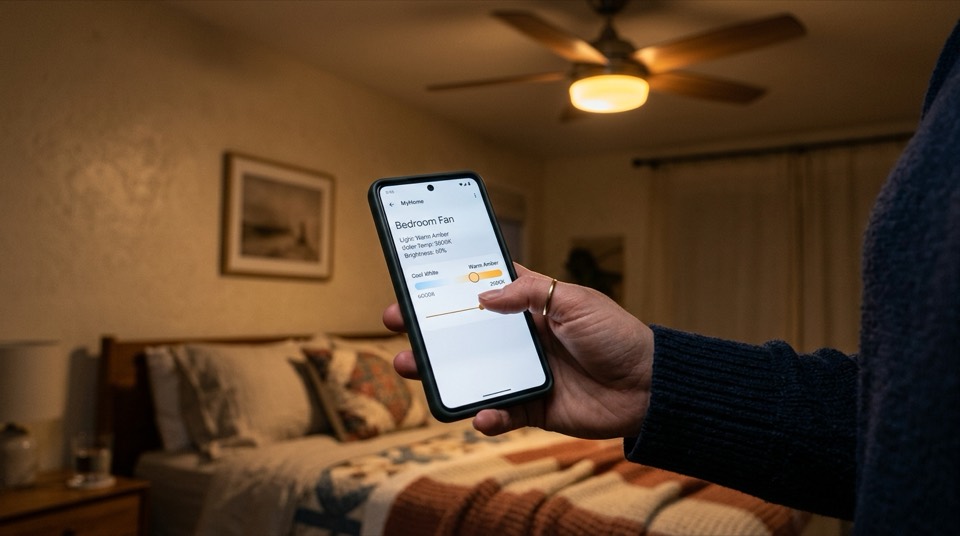
- App control is the foundation. The manufacturer's app (Hunter's SIMPLEconnect, Big Ass Fans' app, Minka-Aire's app, or a generic smart-home app) lets you set fan speed, light brightness and color temperature, and timers from your phone, whether you're on the couch or at work.
- Voice control requires the fan to publish "skills" or a device profile to Amazon Alexa or Google Home. This is usually a free step inside the manufacturer's app — you link accounts once, and the fan's speeds and light show up as controllable devices ("Alexa, set the bedroom fan to medium").
- Schedules and automation let the fan turn on before you get home, drop the light to a warm color temperature at sunset, or run overnight in warmer months. This is typically built into the manufacturer's app, but fans that support Apple HomeKit, SmartThings, or a generic hub can also be folded into more complex routines involving other devices.
There are two paths to a smart fan, and they land in very different price and complexity ranges:
- Ecosystem fit: confirm the fan explicitly lists Alexa, Google Home, or Apple HomeKit support if that matters to you — "smart" alone doesn't guarantee any of them.
- Hub requirement: some systems need a separate hub or bridge sold alongside the fan; others connect straight to your home Wi-Fi. A hub is one more thing to power, place, and eventually replace.
- Light and fan on one app or two: if the fan has an integrated LED light kit, check whether the light and fan motor are controlled from the same app screen or require pairing separately.
- Firmware updates: Wi-Fi fans are small connected-home devices, and the better brands push firmware updates through the app. A product with no update history is a fan you're stuck with as shipped.
- Fallback control: look for a fan that still works from a physical wall switch or included remote if your Wi-Fi goes down — you don't want a fan that's unusable during an outage.
A smart ceiling fan mounts exactly like any other ceiling fan — same electrical box rating, same blade-height clearance, same balancing steps. Adding "smart" doesn't change the wiring at the ceiling; the electronics live in the motor housing or in a receiver that replaces the existing remote module. That said, any ceiling fan install involves working at a switch or junction box with the circuit still capable of carrying live current. Always turn off power at the breaker before touching any wiring, confirm it's off with a non-contact voltage tester, and if you're replacing a switch, adding a smart bridge that ties into house wiring, or you're at all unsure about your home's wiring, hire a licensed electrician. This is especially true in older homes without a dedicated ceiling fan-rated electrical box, which needs to be addressed before any fan — smart or not — goes up safely.
Go Deeper
Detailed companion guides for smart ceiling fans.
How to Make a Regular Ceiling Fan Smart Without Rewiring
How to make a ceiling fan smart without rewiring: smart modules, fan wall controls, and remotes that reuse your existing wiring.
Ceiling Fan Wi-Fi vs Bluetooth Control: Key Differences
Ceiling fan Wi-Fi vs Bluetooth control compared: range, remote access, voice assistants, setup, privacy, and which fits your home.