

The short answer
Not always. Wi-Fi smart lights connect straight to your home router and need no separate hub. Zigbee, Z-Wave, and Thread lights use a low-power mesh network and usually need a hub or a compatible smart speaker acting as one. Wi-Fi is simplest for a few bulbs; hub-based systems scale better for many.
What a hub actually does
A hub is a small box that bridges low-power smart-home radios to your home network. Bulbs that speak Zigbee, Z-Wave, or Thread do not talk to your router directly; they talk to the hub, and the hub talks to your network and the internet.
The hub also stores automations and lets devices respond quickly and reliably, often even when the internet is down.
Wi-Fi lights: no hub required
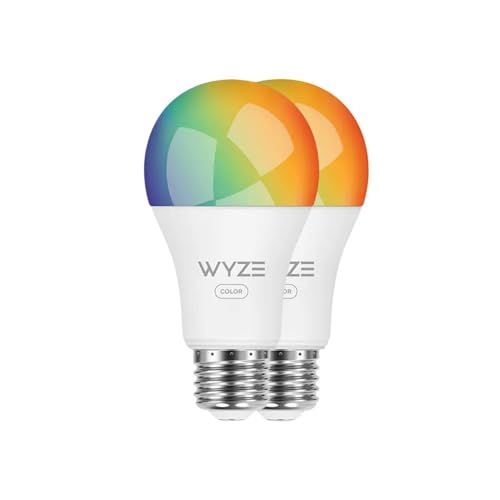
Wi-Fi bulbs are the plug-and-play option. Each bulb joins your existing Wi-Fi like a phone or laptop, and you control it through an app or voice assistant.
Advantages:
- No extra hardware to buy
- Fast setup for one or a few bulbs
- Works anywhere your Wi-Fi reaches
Trade-offs:
- Each bulb consumes a Wi-Fi connection, and many bulbs can crowd a home router
- Most routers handle dozens of devices, but very large setups can strain cheaper hardware
- Bulbs sit on the 2.4GHz band, which is more congested in busy neighborhoods
- Response can lag if a command routes through the cloud
Wi-Fi is ideal when you want to smarten a lamp, a porch light, or a single room without committing to an ecosystem.
Zigbee and Z-Wave: mesh networks that usually need a hub
Zigbee and Z-Wave are dedicated low-power protocols built for smart homes. Instead of each device hitting the router, they form a mesh: mains-powered devices relay signals for one another, extending range and reliability as you add devices.
That mesh needs a coordinator, which is the hub. In exchange for the extra box, you get:
- A network that gets stronger as you add devices
- Low power use and fast, local response
- Far less strain on your Wi-Fi
- Reliable performance across many dozens of devices
Thread and Matter: the newer path
Thread is a modern mesh protocol, and Matter is the standard that ties ecosystems together. Thread does not use a traditional hub, but it does need a border router to connect the mesh to your network. The catch is that many devices people already own, such as some smart speakers, displays, and streaming devices, can act as that border router.
So a Thread light may not need a box you buy separately, but it does need a border router somewhere in your home. Matter then lets these devices work across different apps and voice assistants more freely than before.
When you do and do not need a hub
You can skip a hub when:
- You want just a few smart bulbs
- You are happy staying on Wi-Fi
- You do not plan a large system
You likely want a hub (or border router) when:
- You are adding many bulbs, sensors, and switches
- You want the fastest, most reliable local control
- You want to keep your Wi-Fi uncluttered
- You want automations that keep working if the internet drops
Local vs cloud control
Hub-based systems often process automations locally, so lights respond instantly and keep working during an internet outage. Many Wi-Fi bulbs route commands through the manufacturer's cloud, which adds a small delay and can fail if the service is down. If reliability matters to you, that difference is worth weighing carefully.
A safety note on installation
Smart bulbs simply screw in, so there is no wiring involved. If you move to smart switches or hardwired fixtures as your system grows, turn off power at the breaker first and hire a licensed electrician for any wiring you are unsure about. This article is general information and not a substitute for a licensed electrician.
The bottom line
For a handful of bulbs, Wi-Fi with no hub is the easy, low-cost start. As your smart home grows toward many devices, a hub or Thread border router pays off with a stronger mesh, faster local control, and a router that is not overloaded. Decide by how big you plan to go, not just by what you are buying today.