



A failed capacitor is the most common reason a ceiling fan gets stuck on one speed, refuses to change speeds, or hums without spinning. To fix it, cut power at the breaker, open the switch housing, find the small capacitor block, match its microfarad (uF) ratings and wire count exactly, and splice in an identical replacement.
Why the capacitor controls your fan speeds
A ceiling fan's speed capacitor stores and releases electrical energy to shift the phase of current fed to the motor windings. Each speed setting routes power through a different section of the capacitor, which is why one small component can control low, medium, and high. When an internal section degrades or shorts, you lose that speed - or the fan defaults to a single stuck speed.
Common symptoms of a failing capacitor include:
- The fan only runs on high, or only on low
- Speeds don't change when you pull the chain
- The motor hums but the blades won't start without a manual push
- A faint burnt-plastic smell near the switch housing
Confirm the capacitor is the culprit
Before buying a part, rule out simpler causes: a worn pull-chain switch or a bad wall control. A pull-chain that clicks but changes nothing points to the switch; a fan that lost just one speed or changes speeds erratically points to the capacitor. A visibly swollen, cracked, melted, or leaking capacitor block is a clear sign it needs replacing.
Safety first
Ceiling fan wiring is line-voltage. Before you open anything:
- Turn off power at the breaker, not just the wall switch.
- Verify the circuit is dead with a non-contact voltage tester at the fan.
- Let the fan come to a complete stop.
Tools and the right replacement part
You'll need a screwdriver, needle-nose pliers, wire strippers, a non-contact voltage tester, and wire connectors. The critical step is matching the part. Ceiling fan capacitors are printed with a type code (often "CBB61"), a set of microfarad ratings, and a voltage rating. To get the right one:
- Count the wires - two, three, four, or five - since this reflects how many speeds the capacitor feeds.
- Copy the uF values exactly, in the same order they are printed.
- Match or exceed the voltage rating, and never go lower.
Step-by-step replacement
1. Access the capacitor
The capacitor usually lives inside the switch housing (the section below the motor, above the light kit or blades) or, on some models, up in the canopy near the ceiling. Remove the retaining screws and lower the cover gently - wires are still attached.
2. Photograph and label the wiring
Take a clear photo before touching anything. The capacitor's wires connect to the pull-chain switch and the motor leads. Note which color goes where. This photo is your roadmap for reassembly.
3. Disconnect the old capacitor
Unsplice or cut the capacitor wires one at a time. If the leads are soldered, clip them close to the old block, leaving as much length as possible on the fan side.
4. Wire in the new capacitor
Connect the new capacitor's leads to match the original exactly - same colors to the same positions. Use proper wire connectors and make sure each splice is mechanically tight before capping. Tuck the connections neatly so nothing pinches when you close the housing.
5. Reassemble and test
Secure the capacitor and close the housing. Restore power at the breaker and test every speed with the pull chain or remote. All speeds should work smoothly, and the fan should reach full speed on high without humming.
When a new capacitor won't fix it
A fresh capacitor cures most speed problems, but not all. If speeds are still wrong after a correct replacement, suspect:
- A worn pull-chain speed switch, which is cheap and often the real fault
- A failing or incompatible wall control - standard lamp dimmers should never control a fan motor
- A tired motor with worn bearings, which usually also causes noise or wobble
Remotes and DC motors are different
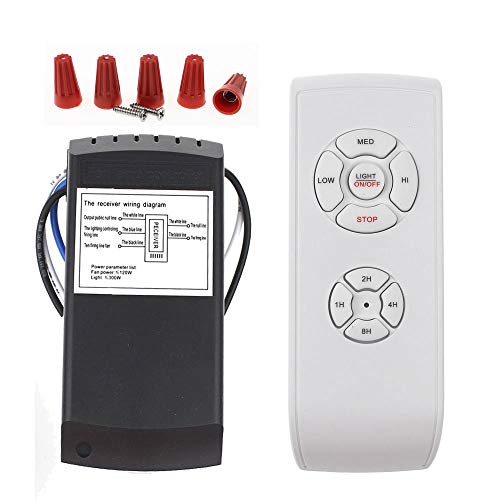
Fans with remote receivers or DC motors typically don't use a traditional pull-chain capacitor for speeds - the electronics in the receiver or control module handle speed changes. On those fans, a speed problem is usually a receiver or module fault rather than a capacitor, so the fix is a replacement control unit, not a capacitor swap.
Replacing a capacitor is one of the more approachable ceiling fan repairs, but only when the part matches and the power is off. When in doubt, an electrician can do it quickly and safely.


