



The short answer
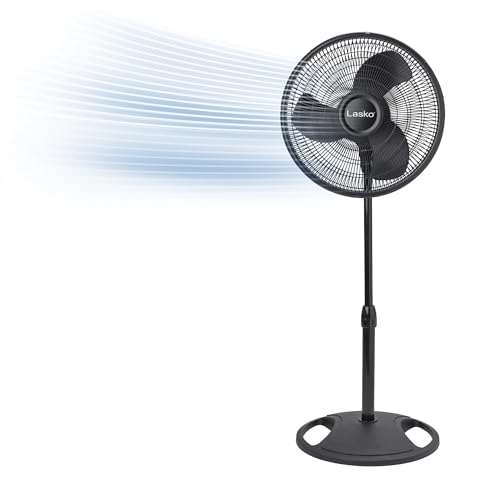
If your pedestal fan still spins but no longer swings side to side, the cause is almost always one of three things: the oscillation knob is not engaged, the gearbox has dried out and seized, or a plastic gear or the linkage pin has broken. Check the knob first, then the gears. Most cases are a quick, inexpensive fix.
How oscillation actually works
On a pedestal fan, the blade motor is separate from the oscillation mechanism. A small gearbox on top of or behind the motor housing converts the motor's spin into a slow back-and-forth motion through a set of gears and a linkage arm (the crank rod) connected to the fan's neck. A knob or pull-tab engages a clutch that connects this gearbox to the motor. If any link in that chain fails, the fan runs but stays pointed straight ahead.
Step 1: Check the oscillation knob
The most common "problem" is not a fault at all.
- Locate the oscillation knob or pull-knob, usually on top of the motor housing.
- Push it down (or pull it up, depending on the model) fully to engage oscillation.
- Make sure it is not stuck halfway. A partially engaged clutch will not turn the neck.
Step 2: Unplug and inspect the gearbox
Before opening anything, unplug the fan. Then:
- Remove the blade cage and blade if needed for access.
- Open the rear motor housing, usually held by a few Phillips screws.
- Locate the gearbox, a small sealed or semi-sealed plastic box with a crank arm sticking out.
- A broken or cracked gear inside the box.
- A disconnected crank rod, where the linkage arm has popped off its pin.
- Old, hardened grease gumming up the gears.
Step 3: Clean and re-lubricate
A surprising number of "dead" oscillation gearboxes are simply seized with old, dried grease.
- Wipe out the old hardened grease with a rag and a cotton swab.
- Apply fresh white lithium grease to the gear teeth. Avoid thin oil, which runs off.
- Turn the gears by hand to work the grease in and confirm they move freely.
- Reassemble and test.
Step 4: Reconnect or replace the linkage
If the crank rod has popped off:
- Snap it back onto its pin; some have a small clip or push-fit socket.
- If the pin or socket is cracked, the rod needs replacing. These are inexpensive and model-specific.
Step 5: Handle a stripped or broken gear
Plastic oscillation gears wear out, especially if the fan ran for years or was forced when stiff.
- Note the exact fan model and the gear's tooth count.
- A replacement gearbox assembly is often sold as a single unit and is the most reliable fix.
- Swapping the whole gearbox is usually easier than sourcing one internal gear.
Step 6: Check the clutch and knob mechanism
If the gears are good and greased but engaging the knob does nothing, the clutch that couples the knob to the gearbox may be worn. On some fans the knob assembly can be replaced; on others it is integrated with the gearbox. Inspect how the knob physically connects to the gear train and replace the worn piece.
Quick diagnosis checklist
- Fan spins, knob does nothing at all: knob not engaged, or clutch worn.
- Fan spins, knob engages but neck stays still: broken gear or disconnected linkage.
- Neck moves stiffly or stutters: dried grease, so clean and re-lubricate.
- Grinding noise when oscillating: worn gear teeth, so replace the gearbox.
Preventing it from happening again
- Do not force the head to turn by hand while it is running or off; this strips gears.
- Re-grease the gearbox every couple of years if you are comfortable opening it.
- Keep the fan clean so dust does not migrate into the mechanism.
- Store it dry, since moisture accelerates corrosion and grease breakdown.
Safety note
Always unplug the fan before removing any housing or touching internal parts. A pedestal fan is a plug-in appliance, so this is simple but essential. Do not run the fan with the motor housing open. If you find scorched wiring, a burning smell, or a motor that overheats, stop and do not keep using it; that is an electrical fault, not an oscillation issue, and the fan should be repaired by a qualified person or replaced. This article is general guidance only.
Bottom line
A pedestal fan that will not oscillate is usually an easy fix: confirm the knob is engaged, then unplug it and check the gearbox for dried grease, a popped linkage, or a stripped gear. Clean, re-grease, and reconnect, and most fans swing again. When a gear is truly stripped, a replacement gearbox assembly is the dependable repair.