Ceiling Fan Troubleshooting: Diagnosing the Most Common Problems
Most ceiling fan complaints fall into a handful of categories: the fan wobbles, the fan won't turn on at all, the fan runs but the light doesn't, or the fan makes an odd humming or clicking noise. Almost all of these have a mechanical or electrical cause you can identify with a few basic checks, and most (though not all) are fixable without hiring anyone.
Before touching any wiring, switch, or the fan's electrical connections, turn off power at the breaker, not just at the wall switch. Wall switches don't always cut power to the neutral or to a separately wired light kit, and pull-chain switches don't cut power to the fixture box at all. If a problem turns out to involve damaged wiring, a scorched wire nut, or anything inside the electrical box itself, stop and call a licensed electrician — hardwired fixtures are not a place to guess.
Wobbling and shaking
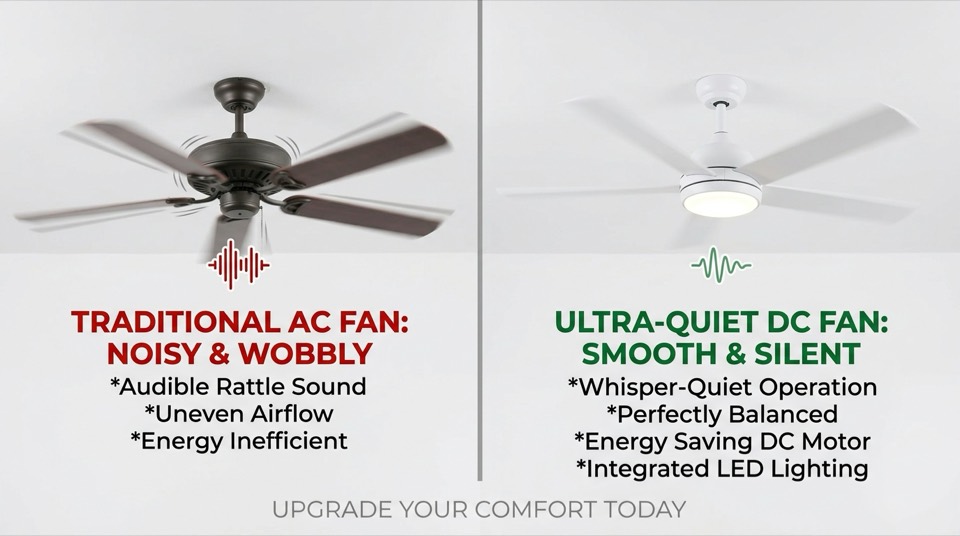
A wobble almost always comes from one of three things: unbalanced blades, an unsecured mounting point, or an unrated electrical box. Blades warp slightly over time from humidity and dust load, and even a fraction of an inch of difference between blade tips is enough to feel like a shake at higher speeds. Loose screws where the blade irons attach to the motor housing, or where blades attach to the irons, cause the same symptom. A canopy or downrod that isn't fully seated in the ceiling mount's ball-and-socket joint will also wobble even when the blades themselves are perfectly balanced.
Work through it in order: tighten every visible screw (blade-to-iron, iron-to-motor, canopy, downrod coupling), then measure blade-tip height with a yardstick against the ceiling to confirm all blades sit at the same level. If one is off, a small blade-balancing kit (adhesive weights you move around until the wobble disappears) resolves most residual imbalance for a few dollars. If the fan still shakes after balancing, check that the outlet box is a fan-rated electrical box — a standard remodel or light-fixture box is not built to carry a fan's dynamic load and will flex under vibration regardless of how well the fan itself is balanced. The National Electrical Code and UL both specify fan-rated boxes for any fixture over a certain weight; this is a job for a licensed electrician if the existing box isn't rated.
The fan won't turn on
Start with the obvious: a tripped breaker, a blown fuse, or dead batteries in a remote. After that, the most common culprit on multi-speed AC motors is a failed run capacitor — a small component inside the fan's switch housing that lets the motor start and run at its different speeds. A bad capacitor often causes the fan to hum faintly without spinning, or to work on only one speed instead of three. Capacitors are inexpensive and are a reasonable DIY swap once power is confirmed off at the breaker, since they're matched by microfarad rating to the specific fan model.
Other causes include a worn-out pull-chain switch (the internal contacts wear out after years of use and need replacing), a wall-mounted speed control that isn't rated for motor loads (a standard incandescent dimmer will cause humming, flickering, or early motor failure on a fan — it needs a fan-rated control), or a loose wire nut at the fan's wiring connections. Many fans also have a thermal overload protector that trips if the motor overheats and resets on its own after cooling, which can look like an intermittent fault. If the motor itself has failed after many years of service, replacement is usually more practical than repair.
The light won't work, but the fan runs fine
Because the fan motor and the light kit are often on separate switch paths, it's common for one to work while the other doesn't. Check the simplest explanation first: a burned-out bulb, or a bulb type the fixture wasn't designed for. Many ceiling fan light kits use small candelabra-base sockets or dimmable-only LED requirements; an incompatible bulb can flicker, buzz, or simply not light. On newer fans with an integrated LED light module (no replaceable bulb), a failed driver means the whole module needs replacing rather than a bulb swap.
If the bulb and socket check out, look at the light's own pull chain or its remote-control channel — many fans control the light through a separate chain or button from the fan speed, and that switch can fail independently. Confirm the wall switch is actually wired to the light circuit and not just the outlet, and check for a loose connection at the light kit's wiring harness where it plugs into the fan body.
When to stop and call an electrician
Scorched or melted wire insulation, a breaker that trips repeatedly, a buzzing or warm ceiling box, or any uncertainty about what's live inside the electrical box are all reasons to stop and bring in a licensed electrician rather than keep testing. Ceiling fan wiring, downrod hardware, and light-kit installation are also generally covered by local electrical permits when new circuits or boxes are involved — worth confirming with your electrician if you're doing more than a like-for-like swap.